How to Verify Your BISP 8171 Payment in 2026 – Complete Step-by-Step Guide for Beneficiaries
The Benazir Income Support Programme (BISP) remains Pakistan’s largest social protection initiative, providing quarterly cash assistance to millions of low-income families. As digital systems continue to improve, the 8171 payment verification process has become faster, more transparent, and more accessible for beneficiaries across the country.
In 2026, verification is no longer limited to office visits. Citizens can confirm their payment status through the 8171 web portal, SMS service, biometric checks, and BISP Tehsil Offices. This guide explains every method in simple terms, helping you verify your payment, understand your status, and resolve common problems.
Understanding BISP 8171 Payment Verification
Payment verification ensures that:
- The beneficiary is genuine
- CNIC information matches government records
- Household data in the National Socio-Economic Registry (NSER) is up to date
- Funds are released only to eligible families
This process protects public funds and ensures that financial assistance reaches deserving households.
Who Needs to Verify BISP Payments
Verification is required for:
- New applicants
- Families completing the Dynamic NSER Survey
- Beneficiaries who missed previous payments
- Cases with biometric or CNIC issues
- Households recently added to BISP or Ehsaas Kafalat
Regular beneficiaries may still be asked to verify if their data has changed.
Documents Required for Verification
Keep these items ready:
- Original Computerized National Identity Card (CNIC)
- Registered mobile number
- Children’s B-Form (if applicable)
- Family Registration Certificate (optional but helpful)
Having complete documents speeds up verification.
Method 1: Verify BISP Payment Through 8171 Web Portal
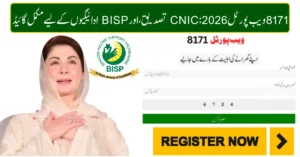
The official web portal is the easiest way to check payment status.
Steps
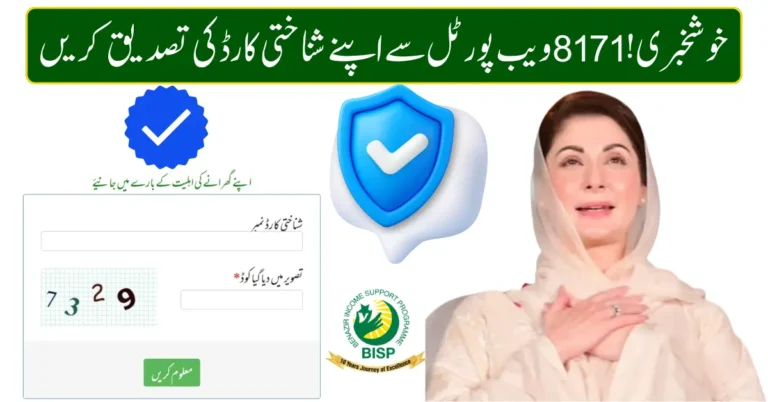
- Open 8171.bisp.gov.pk
- Enter your 13-digit CNIC number
- Type the captcha code
- Click Submit
Possible Results
- Eligible – Payment approved
- Payment Released – Ready for collection
- Under Verification – Data being reviewed
- Not Eligible – Does not meet criteria
The portal reflects real-time updates from the BISP database.

Method 2: Verify Payment by SMS (Offline Option)
For people without internet access:
- Open messaging app
- Type your CNIC
- Send to 8171
- Receive reply with your status
This service works on all major mobile networks in Pakistan.
Method 3: Biometric Verification at Payment Centers
When collecting cash, biometric authentication is mandatory.
Where It Happens
- BISP Cash Centers
- HBL Konnect agents
- Bank Alfalah branches
- Designated retail partners
What Happens
- CNIC scanned
- Fingerprint matched with NADRA database
- Payment released after successful match
Biometric verification prevents fraud and duplicate claims.
Method 4: Verification Through BISP Tehsil Office
If your portal or SMS result shows an issue:
- Visit nearest BISP Tehsil Office
- Request Dynamic NSER Survey or data update
- Submit documents
- Wait for confirmation SMS from 8171
This method is best for resolving complex cases.
Understanding Verification Status Messages
| Status | Meaning | Action Needed |
|---|---|---|
| Eligible | Approved for payment | Wait for release or collect cash |
| Payment Released | Funds available | Visit payment center |
| Under Verification | Data review in progress | Wait or visit office |
| Not Eligible | Criteria not met | Request resurvey |
Common Reasons for Verification Failure
- Expired CNIC
- Biometric mismatch
- Incorrect household data
- Unregistered mobile number
- Duplicate family record
Most issues can be fixed through re-verification.
How to Update Your Information
- Visit Tehsil Office
- Request Dynamic Survey
- Update income, family size, address
- Verify CNIC and biometrics
Keeping data current improves eligibility chances.
Payment Channels After Verification
- BISP Cash Centers
- Partner banks
- Mobile wallets (where available)
- Selected ATMs
Always carry original CNIC.
Tips for Smooth Verification in 2026
- Keep CNIC valid
- Use registered mobile number
- Check status before visiting payment center
- Avoid agents or unofficial websites
- Follow official government announcements
Frequently Asked Questions
Can I verify payment without internet?
Yes, via SMS to 8171.
How long does verification take?
Usually a few days after data update.
Is there any fee for verification?
No, all services are free.
What if biometrics fail repeatedly?
Visit Tehsil Office for manual verification.
Final Thoughts
The BISP 8171 payment verification process in 2026 is designed to be simple, transparent, and accessible for everyone. Whether you use the web portal, SMS service, biometric centers, or Tehsil Offices, verification ensures that financial assistance reaches the right families at the right time.
Staying informed, keeping your records updated, and using official channels will help you receive your BISP payments smoothly and without delays.
Tags
BISP 8171, Benazir Income Support Programme, BISP Payment Verification, CNIC Check Online, NSER Survey, Dynamic Survey, Ehsaas Kafalat, BISP Tehsil Office, Biometric Verification, Government Assistance Pakistan