

BISP 8171 Wallet & SIM Activation Process Complete Guide 2026
The BISP 8171 wallet and SIM activation process has become a crucial step for beneficiaries of the Benazir Income Support Programme (BISP) in 2026. With the government shifting toward digital payments, activating your mobile wallet and registered SIM ensures timely disbursement of financial assistance without long queues or payment delays.
What Is BISP 8171 and Why Wallet Activation Matters?
The 8171 system is the official verification portal used by BISP beneficiaries to check eligibility and payment status. Under the updated digital payment model introduced in collaboration with the State Bank of Pakistan, beneficiaries now receive payments directly into registered mobile wallets.
Activating your wallet linked to your CNIC and SIM provides:
-
Direct fund transfer
-
Reduced fraud and agent deductions
-
Secure transaction history
-
Faster withdrawal from ATMs or retail agents
If your SIM is not registered in your name, your payment may be delayed or blocked.

Eligibility Before SIM & Wallet Activation
Before starting the activation process, make sure:
-
Your CNIC is valid and not expired
-
Your SIM is registered on your CNIC (verified through PTA)
-
You are declared eligible through 8171 SMS or portal
-
Your biometric verification is complete
The Pakistan Telecommunication Authority (PTA) strictly requires SIM ownership verification, so mismatched SIM details can cause rejection.
Step-by-Step BISP 8171 SIM Activation Process (2026)
1. Verify SIM Ownership
Visit your nearest franchise of your mobile network (Jazz, Zong, Telenor, or Ufone). Ask them to confirm that your SIM is registered against your CNIC.
If not, request a SIM transfer or purchase a new SIM registered in your name.
2. Biometric Verification
Complete biometric thumb verification at the franchise or designated retailer. This step ensures secure linkage between your CNIC and mobile number.
3. Register Mobile Number in BISP Records
Visit your nearest BISP Tehsil Office and update your active SIM number in their system. Make sure it matches your CNIC record.
How to Activate Your BISP 8171 Mobile Wallet
After SIM verification, the next step is wallet activation.
Step 1: Choose Your Assigned Payment Partner
In 2026, BISP payments are distributed through authorized banking partners like:
-
HBL Konnect
-
Bank Alfalah
-
JazzCash
You will be assigned a partner based on your district.
Step 2: Complete Biometric at Retailer
Visit an authorized agent of your assigned bank. Provide your CNIC and complete thumb verification.
Step 3: Wallet Confirmation SMS
After successful verification, you will receive a confirmation SMS. Your wallet is now active and ready to receive BISP payments.

How to Check BISP 8171 Payment Status
You can check your payment status in two ways:
-
Send your CNIC number (without dashes) to 8171 via SMS
-
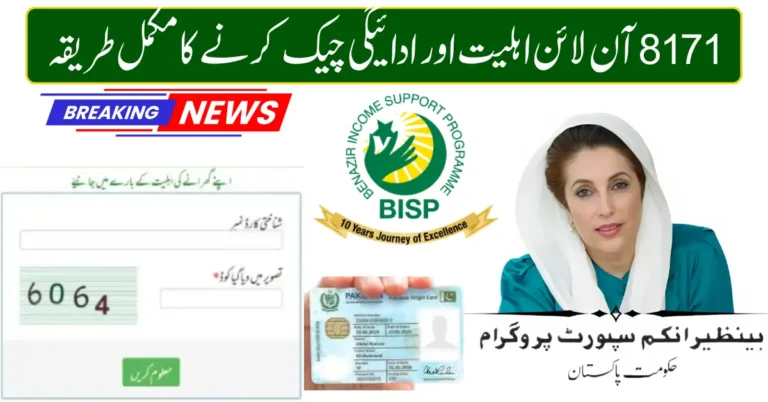
Visit the official 8171 web portal
If your wallet is active, your payment status will show “Ready for Disbursement.”
Common Problems & Solutions
SIM Not Registered
Solution: Visit mobile franchise and update ownership.
Biometric Failure
Solution: Visit NADRA center to update fingerprints.
Payment Not Received
Solution: Confirm wallet activation and check eligibility again through 8171.
Final Words
The BISP 8171 wallet and SIM activation process in 2026 is designed to make financial assistance transparent, fast, and secure. By ensuring your SIM is registered on your CNIC and completing biometric verification, you can avoid delays and receive payments directly in your mobile wallet.